ChatGPT is a general-purpose AI assistant from OpenAI that can help users with writing, brainstorming, research, coding, learning, data analysis, image generation, document analysis, and everyday problem-solving. It works through natural-language conversations and can use a range of built-in tools to handle text, images, files, data, and web-based research.
AI Category : AI Chatbots
Secondary Categories :
AI Writing, AI Image, AI Coding, AI Productivity, AI Research, AI Data & Analytics, and more..
What It Can Do :
AI chatbot and conversational assistance
Answer questions and explain concepts
Writing, rewriting, editing and summarization
Brainstorming and creative content generation
Coding, programming assistance and debugging
Image generation and image editing
Image, screenshot and diagram analysis
Document and PDF analysis
Data analysis and visualization
Web search and information gathering
Deep research and multi-source research
Translation and language assistance
Mathematics and problem solving
Study and learning assistance
Planning and organization
Voice conversations
Multi-step tasks using available tools
Capabilities and tool availability can vary according to the user’s plan, model, workspace and settings.
Interface :
Key Features :
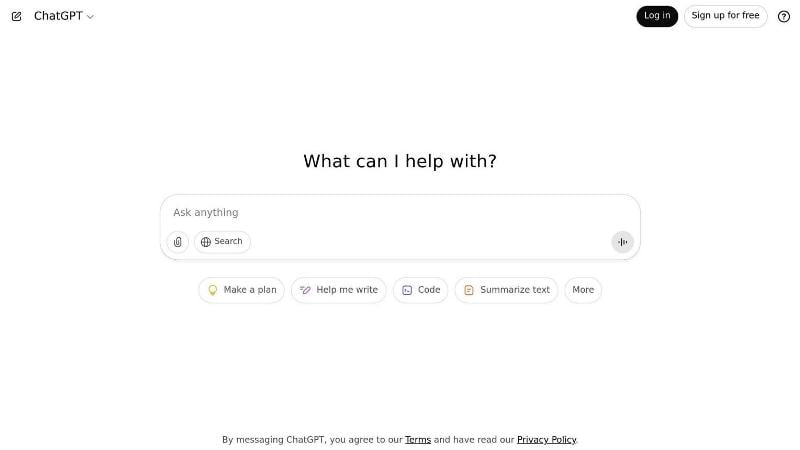
ChatGPT provides a conversational interface that allows users to ask questions, provide instructions and continue a discussion while maintaining context within the conversation. It can draft and revise written content, solve problems, assist with programming and work with uploaded files and images.
Users can upload documents and other files for summarization, extraction and analysis. For structured data such as spreadsheets and CSV files, ChatGPT can perform calculations, identify trends and outliers, create tables and charts, and carry out code-backed analysis.
ChatGPT also provides image generation and editing capabilities. Users can create images from natural-language prompts and modify existing images by describing the required changes.
Its research capabilities include web search for current information and Deep Research for more complex, multi-step research tasks that gather, analyze and synthesize information from multiple online sources with citations.
Other capabilities include voice interaction, memory, file handling, Canvas for collaborative writing and coding, and additional tools and workflows that may be available depending on the account and plan.
Pricing :
ChatGPT offers a free plan as well as paid subscription plans. Current consumer plans include Free, Go, Plus and Pro, while Business and Enterprise plans are available for organizations. Pricing, usage limits and feature availability vary by plan and may change over time.
Free / Paid :
Freemium – a free version is available, with additional capabilities, higher usage limits and access to additional tools available through paid plans.
Platform :
Web, iOS and Android. ChatGPT can be accessed through its web application and official mobile applications.
Best For :
ChatGPT can be useful for individuals, students, educators, writers, developers, researchers, marketers, business professionals and anyone looking for a general-purpose AI assistant for everyday or professional tasks.
 a-zsoft