Best Free Video Editor Tools Without Watermark (2026) Guide

best-video-editing-tools

Introduction: Best Free Video Editors Software Without Watermark (2026)

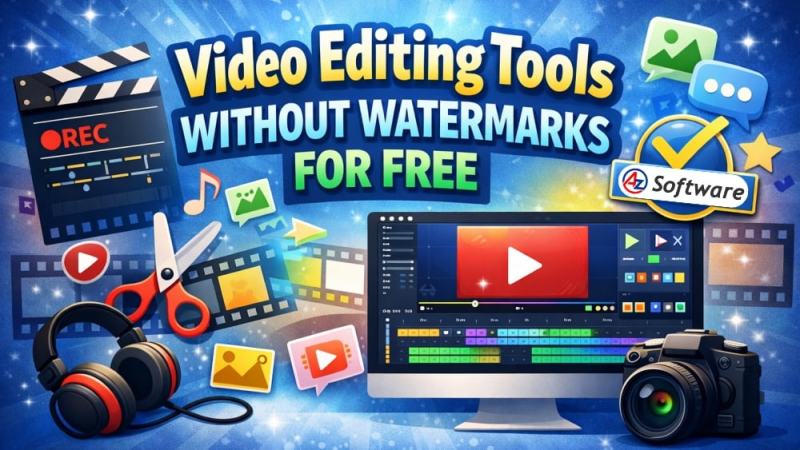
Finding a good free video editor without a watermark can be difficult, especially if you’re working on a budget or using a low-end PC. Many free tools add annoying logos or limit export quality, which makes them unsuitable for professional or even casual use.

In this guide, we’ve listed the best free video editing software that does not add a watermark, along with their features, performance, and who they are best suited for.

🏆 Top Free Video Editors Without Watermark

1. OpenShot Video Editor

OpenShot is one of the easiest video editors for beginners. It offers a clean interface and essential editing tools without any watermark restrictions.

Key Features:

  • No watermark on exports
  • Drag-and-drop interface
  • Supports multiple formats
  • Lightweight and beginner-friendly

Best For: Beginners and basic editing tasks

👉 View Full Details & Download: Here

2. Shotcut

Shotcut is a powerful open-source video editor with advanced features. It may take a little time to learn, but it offers excellent flexibility.

Key Features:

  • Completely free and open-source
  • No watermark
  • Wide format support
  • Advanced filters and effects

Best For: Intermediate users

👉 View Full Details & Download: Here

3. DaVinci Resolve

DaVinci Resolve is a professional-grade video editing software used by filmmakers and content creators. The free version is extremely powerful and does not include watermarks.

Key Features:

  • High-end video editing tools
  • Advanced color grading
  • No watermark
  • Studio-quality output

Best For: Professionals and advanced users

👉 View Full Details & Download: Here

4. VSDC Free Video Editor

VSDC is a feature-rich video editor that works well even on low-end systems.

Key Features:

  • No watermark
  • Supports 4K export
  • Built-in effects and transitions
  • Lightweight performance

Best For: Low-end PCs and casual users

👉 View Full Details & Download: Here

5. Lightworks (Free Version)

Lightworks offers a free version with professional editing tools. While some export formats are limited, it still provides a watermark-free experience.

Key Features:

  • Professional editing timeline
  • No watermark (in supported exports)
  • Fast performance
  • Used in film editing

Best For: Semi-professional editors

👉 View Full Details & Download: Here

🔄 Comparison Table

Software

Watermark

Ease of Use

Best For

OpenShot

No

Easy

Beginners

Shotcut

No

Medium

Intermediate

DaVinci Resolve

No

Hard

Professionals

VSDC

No

Medium

Low-end PCs

Lightworks

No

Medium

Semi-pro users

❓ Frequently Asked Questions

Is free video editing software safe?

Yes, most popular tools are safe if downloaded from official or trusted sources.

Which video editor is best for low-end PCs?

OpenShot and VSDC are great choices for systems with low RAM and older processors.

Do free video editors reduce quality?

Not necessarily. Many free editors support HD and even 4K exports without compromising quality.

✅ Conclusion

If you’re just starting out, OpenShot is the best option due to its simplicity.
For more advanced editing, Shotcut or DaVinci Resolve are excellent choices.

All the tools listed above are completely free and do not include watermarks, making them perfect for YouTubers, students, and professionals alike.

How to Get

Visit the corresponding links, to explore and download directly.

Note:

We recommend downloading software only from official or verified sources. Here given links are verified by our team and are found safe.

  • “Last checked: March 2026”
  • “Safe download verified”

Share this Software

Read Previous

Lightworks Video Editor Review: Professional Editing Software Worth Using.

Read Next

ATS OrganiZer

Leave a Reply

Most Popular