a-zsoft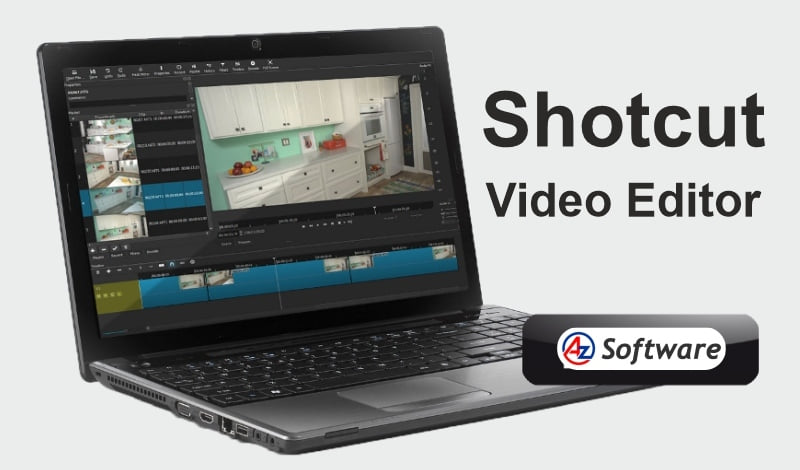
Supported Platforms, Performance & System Requirements.
Shotcut is relatively lightweight but offers strong performance when used on capable systems.
Supported Platforms:
- Windows
- MacOS
- Linux
Performance Insights:
- Handles HD and 4K editing reasonably well
- Performs better than many free editors in rendering
- May lag on low-end systems with heavy effects
For smoother editing, a system with 8–16GB RAM and a modern CPU/GPU is recommended.
Rating: ⭐⭐⭐⭐☆ (4.2/5)
Introduction:
If you’re looking for a powerful yet free video editing software, Shotcut Video Editor is one of the best open-source options available today. Known for its flexibility and wide format support, Shotcut caters to users who want more control over their edits without investing in expensive software.
Unlike beginner-only tools, Shotcut strikes a balance between ease of use and advanced functionality, making it suitable for both beginners and intermediate users. In this review, we’ll explore its features, performance, and whether Shotcut is the right video editing tool for you in 2026.
Key Features
Shotcut offers a robust set of features that rival many paid video editors:
- Wide format support via FFmpeg (no need to import files)
- Native timeline editing without mandatory conversion
- 4K video editing support
- Advanced audio editing tools
- Video filters and effects (color grading, transitions, etc.)
- Multi-track timeline editing
- Keyframe support for animations
- Cross-platform compatibility (Windows, macOS, Linux)
These features make Shotcut a flexible and powerful tool for content creators.
Pros and Cons
Pros:
✔️ Free and open-source
✔️ Supports a wide range of video formats
✔️ No watermark on exported videos
✔️ Advanced features for intermediate users
✔️ Regular updates and active development
Cons:
❌ Interface can feel overwhelming for beginners
❌ No built-in templates or presets
❌ Performance may slow with complex projects
❌ Lacks some high-end professional tools
User Interface & Ease of Use
Shotcut’s interface is highly customizable, which is both a strength and a challenge. Users can rearrange panels, add filters, and adjust the workspace based on their editing style.
However, unlike simpler editors, Shotcut does not guide users with pre-built templates or step-by-step workflows. This means beginners may face a steeper learning curve initially.
Once familiar, the interface becomes efficient and gives users more control compared to basic editors like “OpenShot”.
Pricing
Shotcut follows a simple and user-friendly pricing model:
- Completely free
- Open-source software
- No subscriptions or hidden costs
- No watermark on exports
This makes it an excellent choice for budget-conscious creators.
Best For
Shotcut is best suited for:
- Intermediate video editors
- Content creators needing more control
- YouTubers editing HD and 4K videos
- Users comfortable learning new tools
- Those who want a free alternative to paid software
FAQs
- Is Shotcut completely free?
Yes, Shotcut is free and open-source with no paid version. - Does Shotcut support 4K video editing?
Yes, it supports 4K editing and a wide range of formats. - Is Shotcut good for beginners?
It can be challenging at first, but beginners can learn it with time. - Does Shotcut add a watermark?
No, exported videos are watermark-free.
Alternatives
If Shotcut doesn’t fully meet your needs, consider:
- OpenShot (more beginner-friendly)
- DaVinci Resolve (professional-grade editing)
- VSDC Free Video Editor (Windows-focused lightweight editor)
- Lightworks (advanced editing with professional tools)
Final Verdict
Shotcut is one of the most powerful free video editing tools available today. It offers a great mix of flexibility, performance, and advanced features without costing anything.
While it may not be the easiest tool for beginners, those willing to learn will find it highly rewarding.
How to Get
Visit the above link, to download directly.
Share this Software